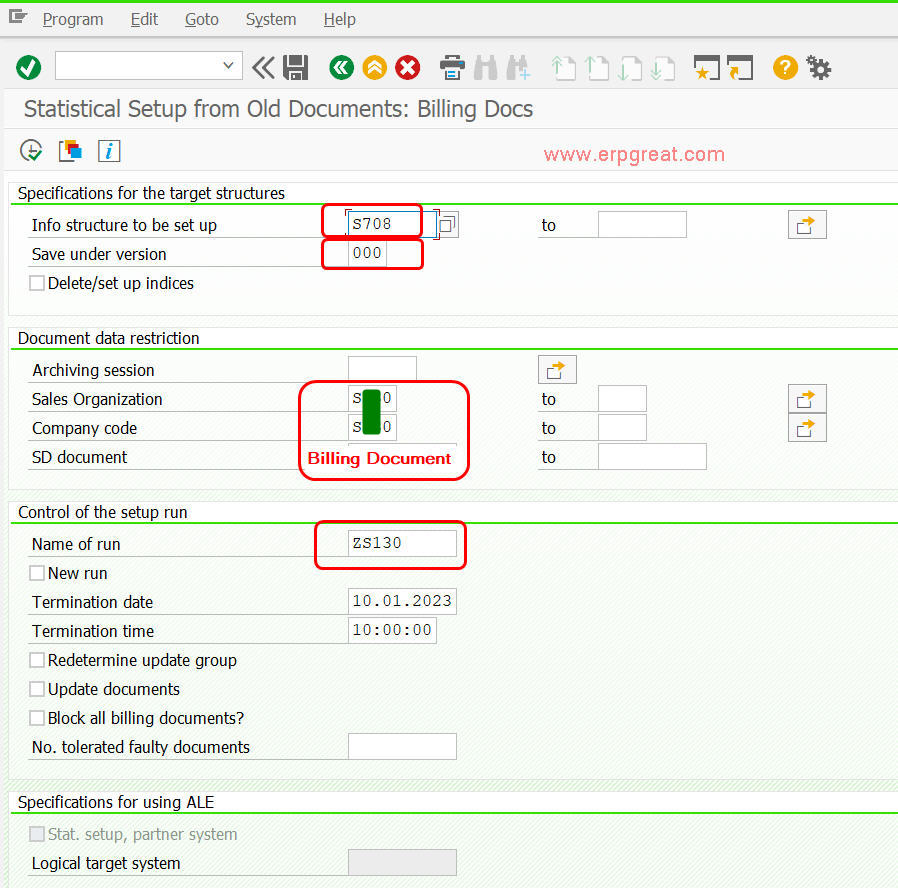
A user logged a helpdesk ticket reporting that when running MCSI via Info Structure S708, no data was found for a billing document.
First, the table S708 was checked — the billing document was not found.
Next, OLI9 (SIS Statistical Setup: Billing Docs) was run and S708 — Invoice Detail was checked again. The document was still not found.
Further investigation revealed that the Customer Statistics Group in Customer Master XD02 (Sales Area Data → Sales tab) had been entered as + Masked instead of '1' – Grpe stat. clients.
Finance was contacted to update the field to '1' – Grpe stat. clients. However, this change only affects new Sales Orders, Deliveries, and Billing documents going forward.
The following two fields must hold the correct values before OLI9 can re-update successfully:
VBRP-STAFO = 'S01P1'
Select both a valid (present in table S708) and a non-valid billing document to compare the data differences.
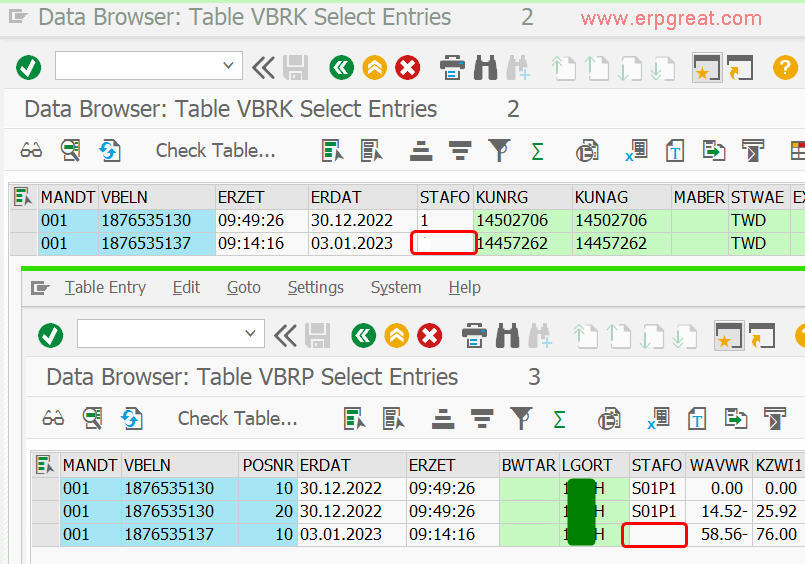
S708, you need authorization to directly update the two table fields listed above. Only then can OLI9 be run to update the billing documents.