Maintenance Notification Long Text Change
In the Maintenance Notification screen, I enter a value in the subject long text field. However, after saving the notification, I need to change the existing long text. In change mode, the long text field is in display mode. How can I change the existing long text content?
Solution
Uncheck the Format Long Text selection to change the mode.
Steps
S/4HANA — SAP GUI
- Navigate to: SPRO → Plant Maintenance and Customer Service → Maintenance and Service Processing → Maintenance and Service Notifications → Overview of Notification Type.
- Select the Notification Type.
- Click on Format Long Text.
- Untick No text change.
Screenshot
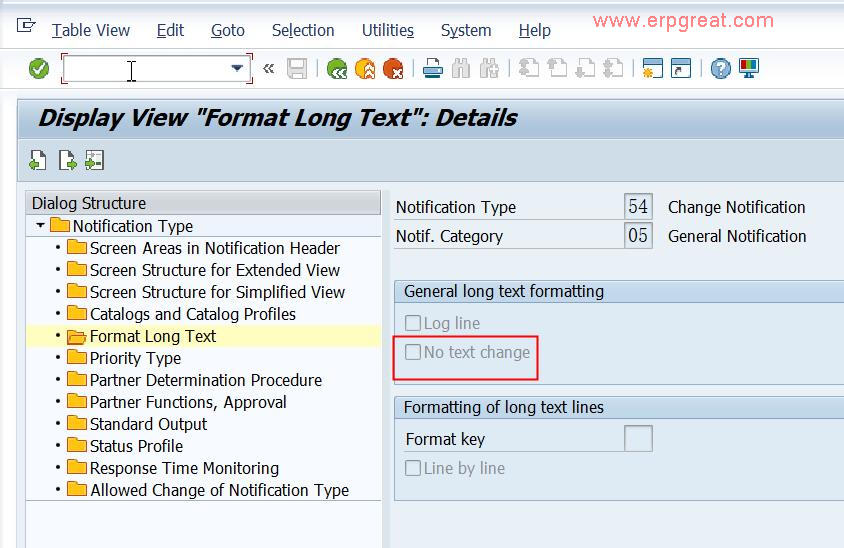
Format Long Text configuration — untick "No text change" to enable editing