Customer Credit Profile
How to setup the Credit Limit of Customer in SAP Fiori?
Maintain the Customer credit profile information
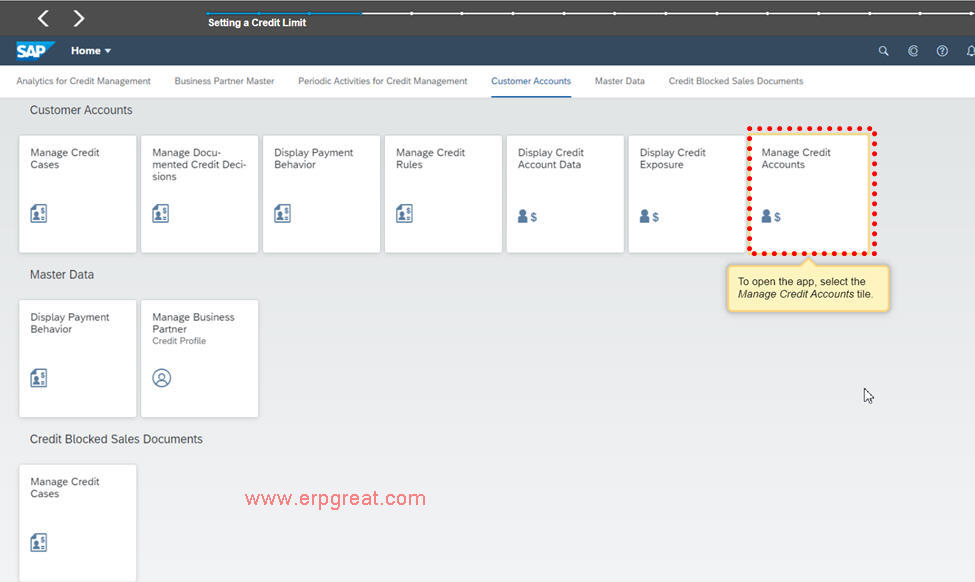
Click the Manage Credit Accounts app
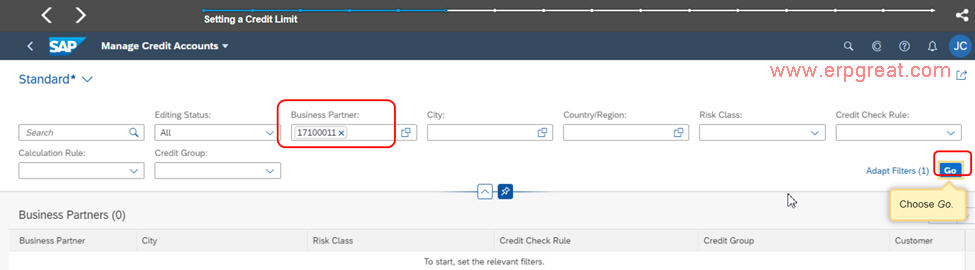
Enter a Business Partner and click Go
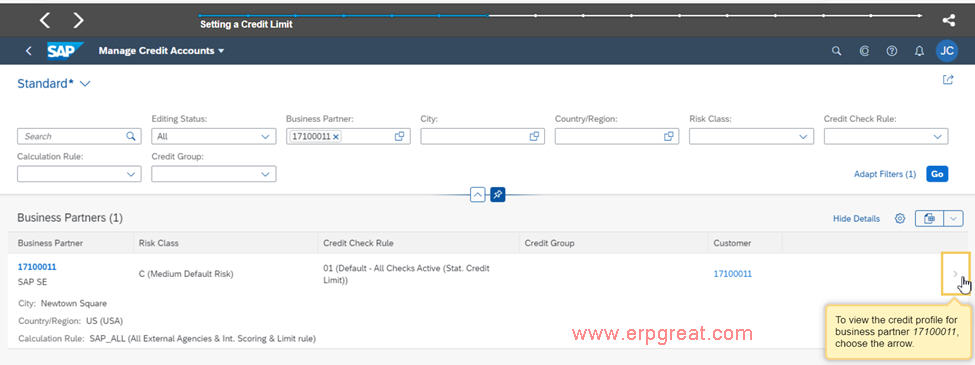
To view the credit profile for this Business Partner click the Greater than sign >.
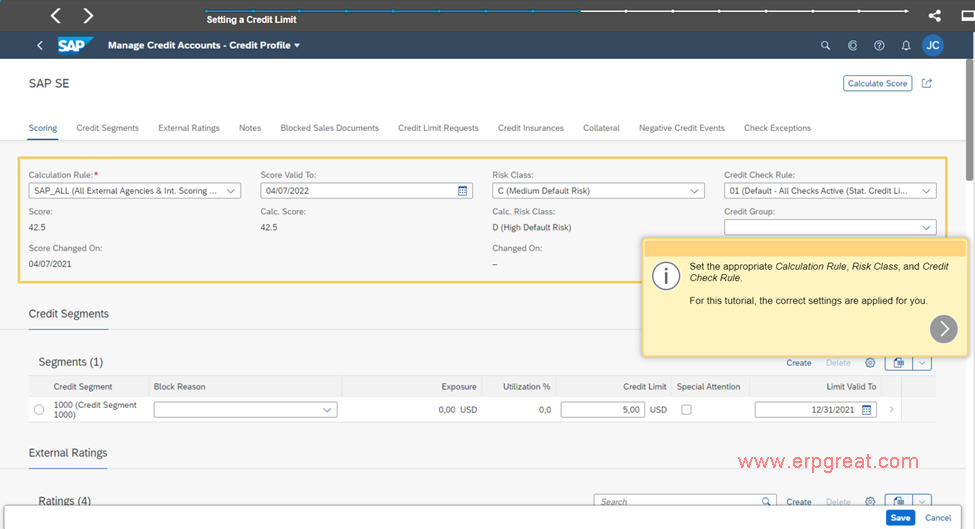
Default Scoring tab is chosen, click Edit
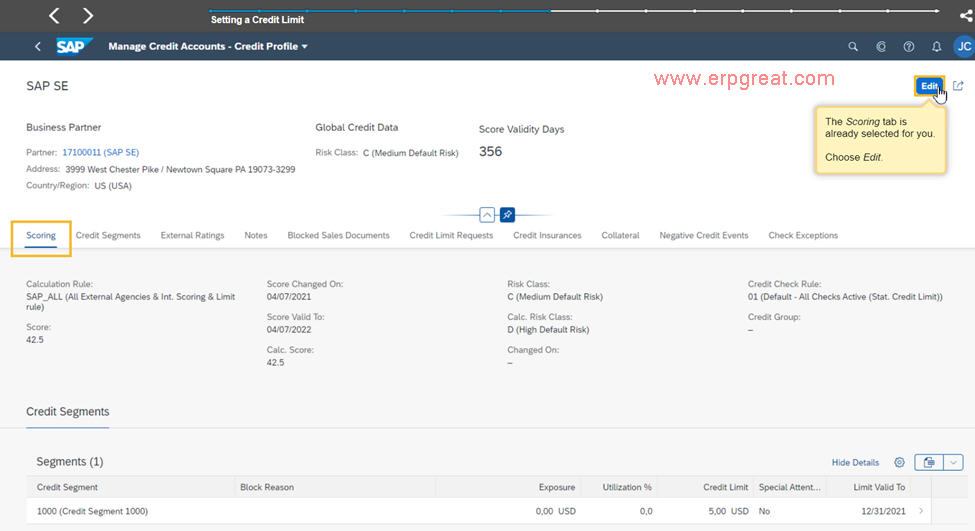
Set the apropriate Calculation Risk, Risk Class and Credit Check Rule
Click Credit Segment tab
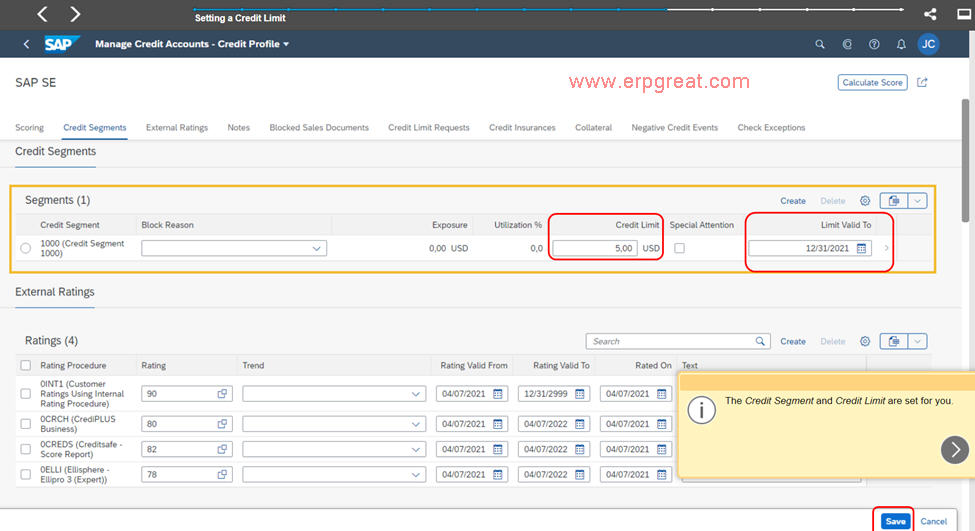
Set the appropriate Credit limit.
If you have a list of customers for which the credit limit should be revisited at a point in the future, you can select a Limit Valid To date.
Click Save to complete the Credit Limit setting.
SAP S/4HANA
What are the additional functionalities of the S/4HANA Credit Management?
SAP S/4HANA offers additional functionalities that redefine standard SAP ERP Credit Management process and offer the following benefits:
- Provides automatic credit control at sales order and delivery document level based on customer’s credit segment and risk class.
- Provides the concept of scoring rule and risk class that helps to evaluate the credit worthiness of customers using internal rating policies and external credit data, enabling automated, fast, and consistent credit decisions.
- Optimizes terms and conditions for customers by segmenting customers based on their credit worthiness and payment reliability.
- Provides better control on customer’s payment history.
- Provides integration with a powerful set of preconfigured reports for identifying high-risk customers and plan special activities to reduce the risk of loss from those customers.
The business partner is integrated directly with a number of outside credit agencies, and the information provided by those agencies can be stored in the data records. This allows a business to make real-time credit decisions regarding customers and reduces the overall credit exposure of the company.