Eight-step procedure
WM Physical Inventory Stock Adjustment
1
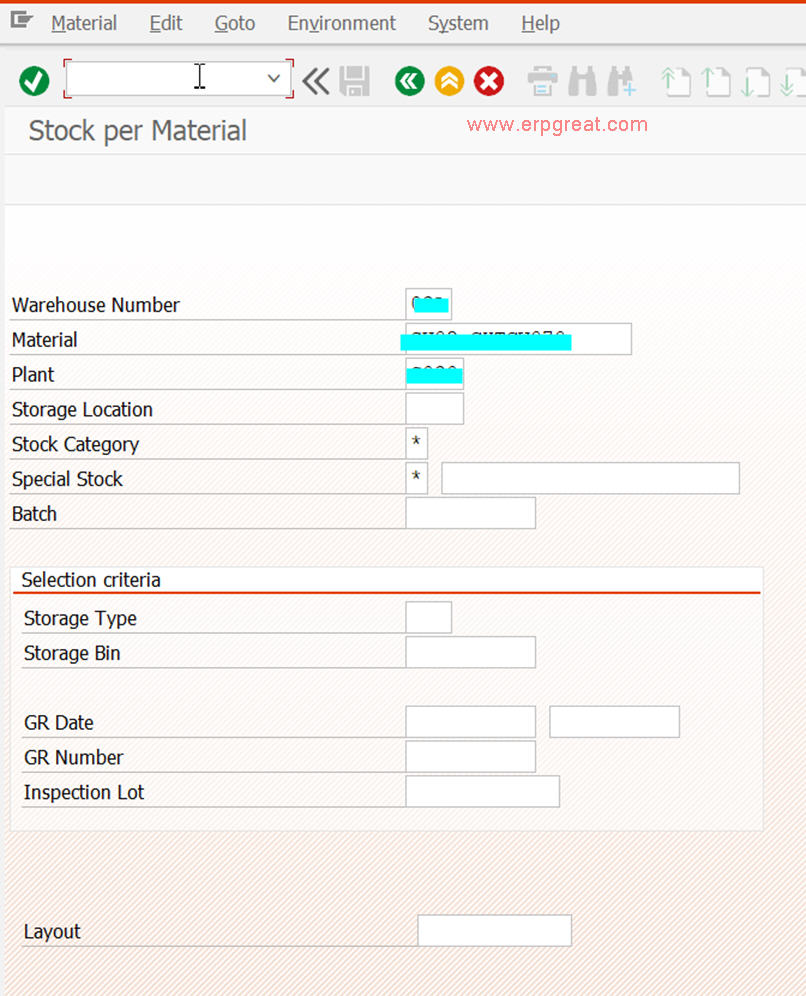
Transaction LS24
Find the warehouse material storage type and bin
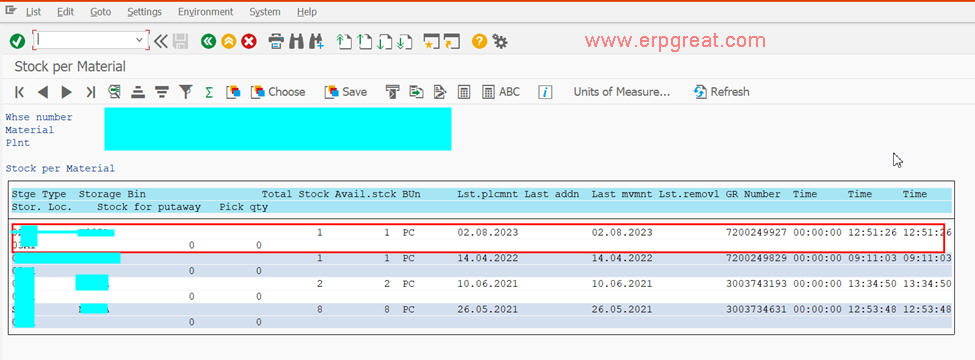
Use LS24 to identify the warehouse material storage type and storage bin.
Take note of the Storage Type and Storage Bin for the stock you wish to set to 0 balance or increase/decrease.
2
Transaction LT01
Transfer the stock to an empty bin storage type
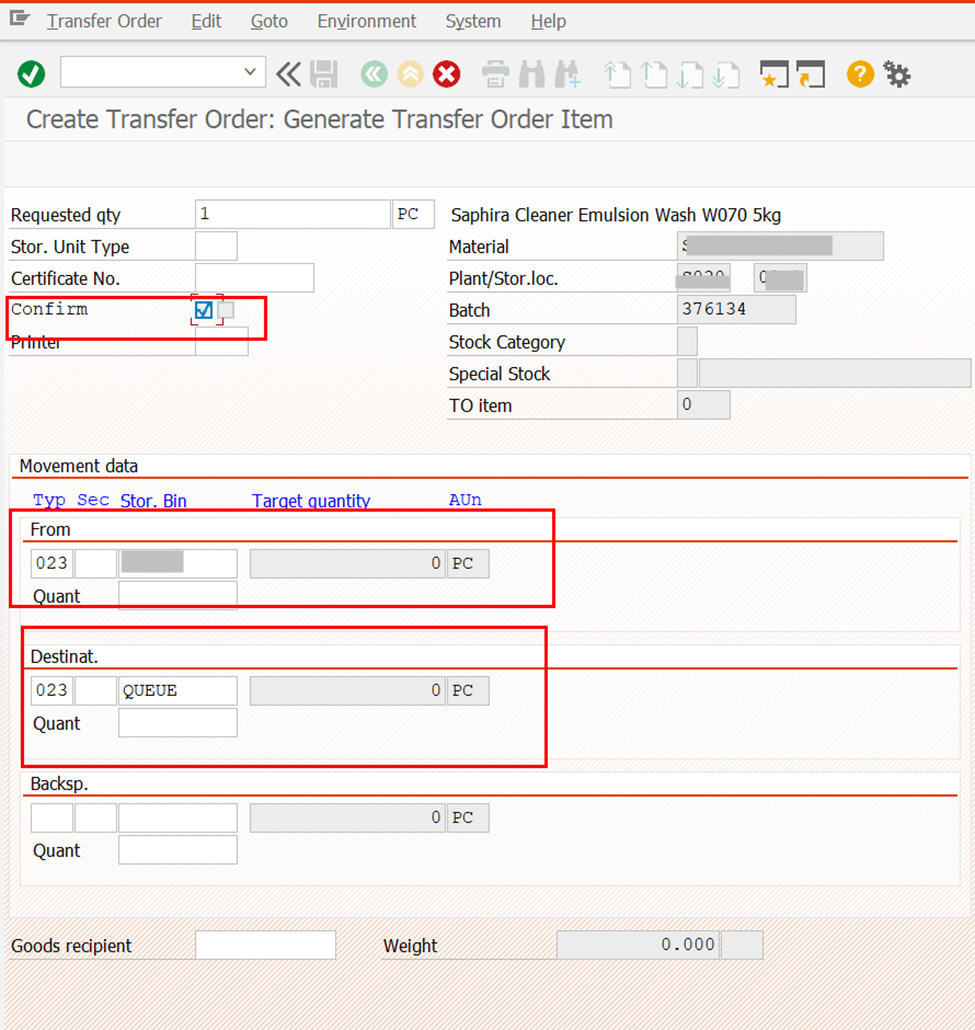
Transfer it to an Empty Bin Storage Type. WM Physical Inventory blocks stock count by Bin, and we do not want other materials in the same Bin.
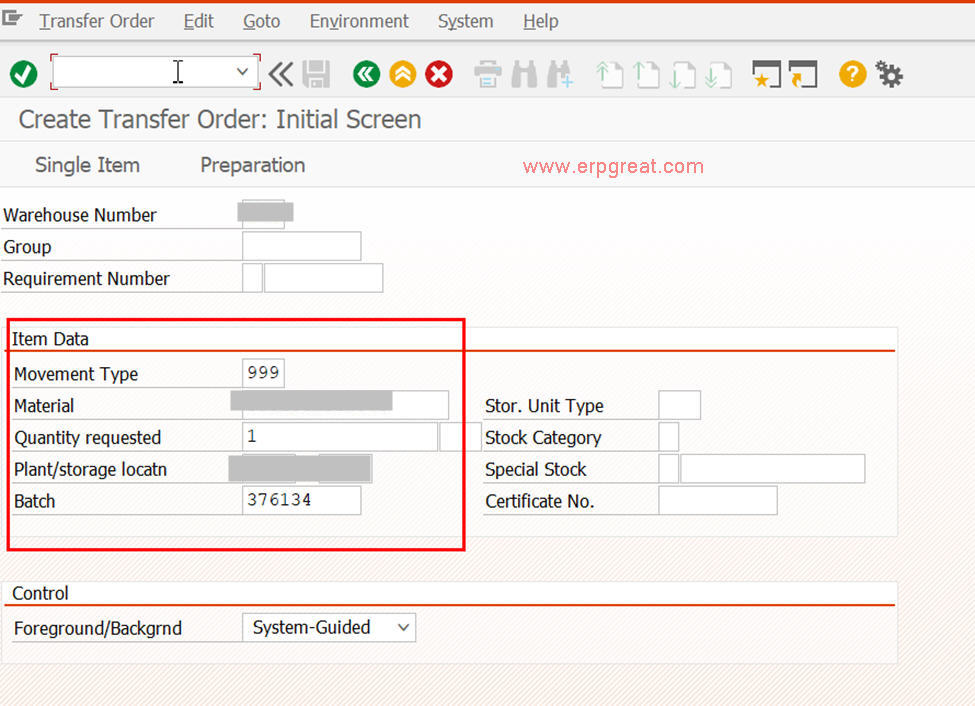
- Input and check that all entries are correct.
- Enter twice to post.
3
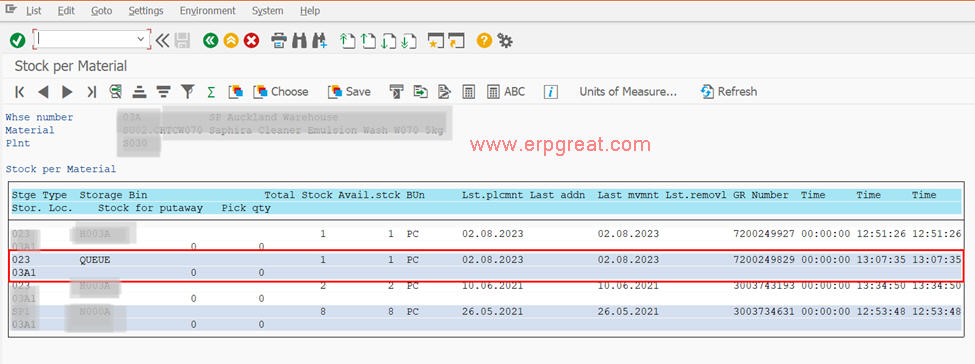
Transaction LS24
Confirm the destination storage type and bin
You should see the newly transferred Destination Storage Type and Storage Bin.
4
Transaction LI01N
Create the physical inventory record
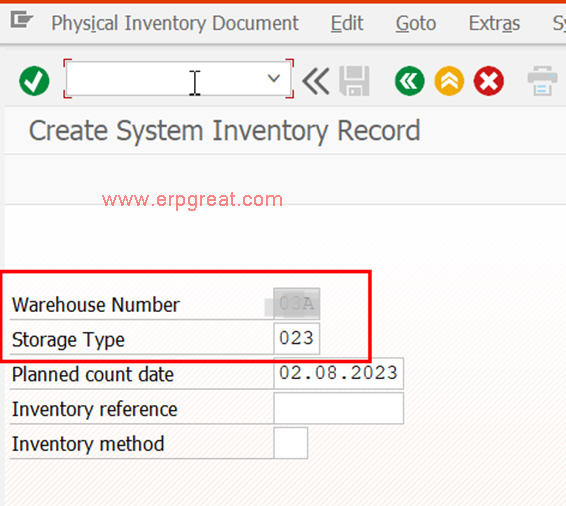
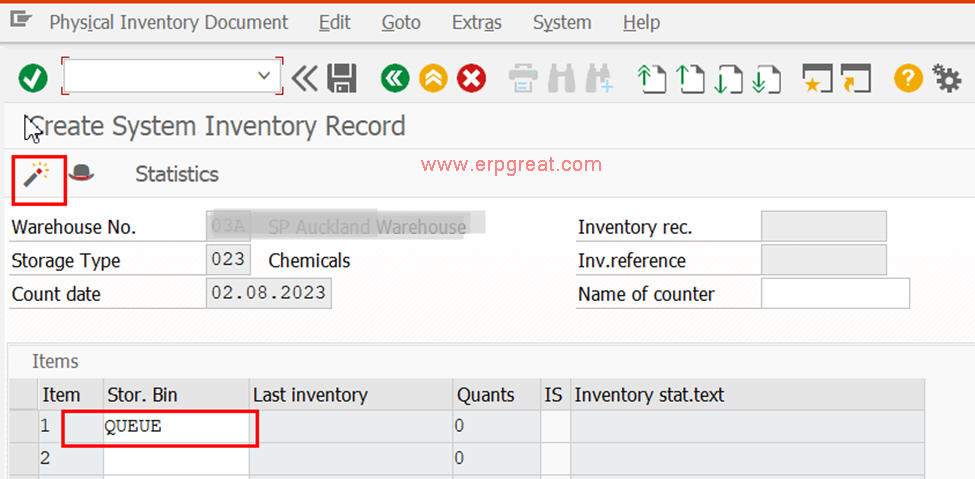
- Input the Storage Bin for WM Physical Inventory and check.
- If everything is correct, click the Activate button.
5
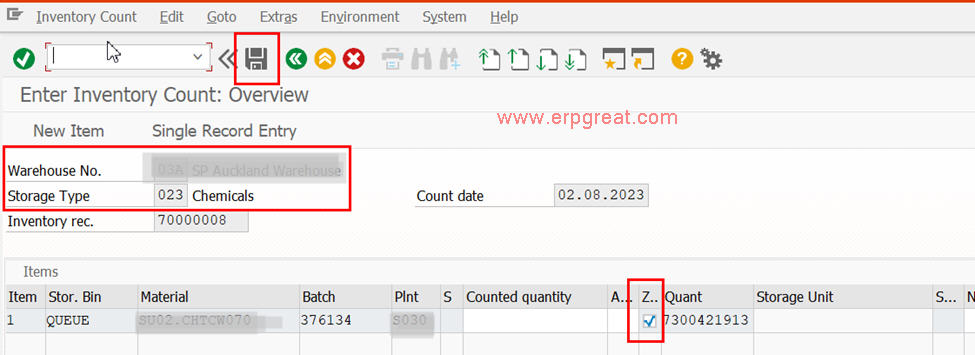
Transaction LI11N
Input the storage bin to write off
- Check that there is only 1 material to write off.
- Tick the Column Zero count.
- Click Save if all is correct.
6
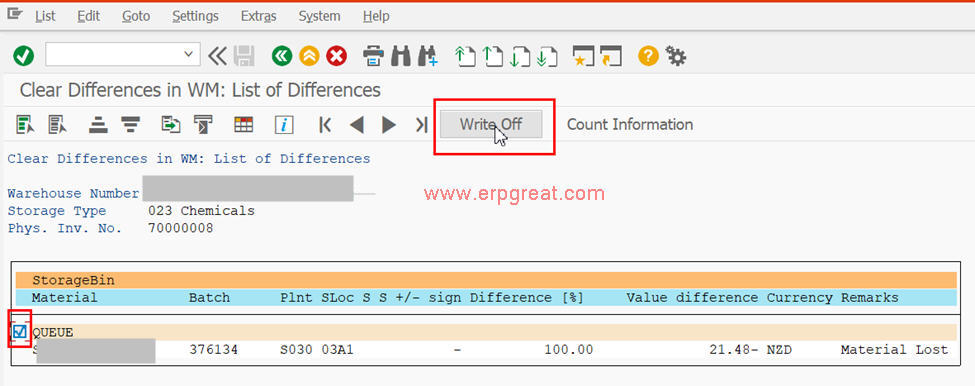
Transaction LI20
Clear differences in WM
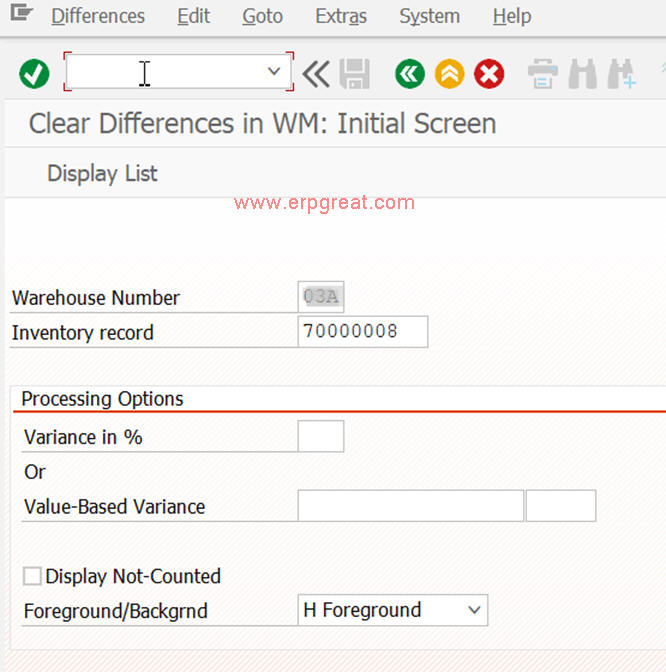
If everything is correct, tick the item and click the Write off button.
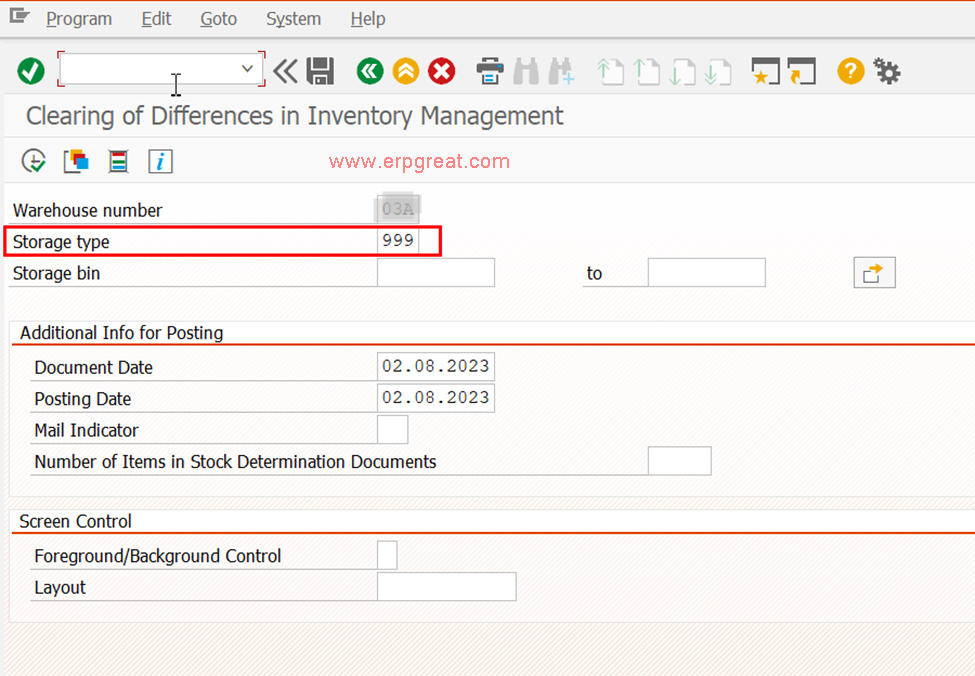
7
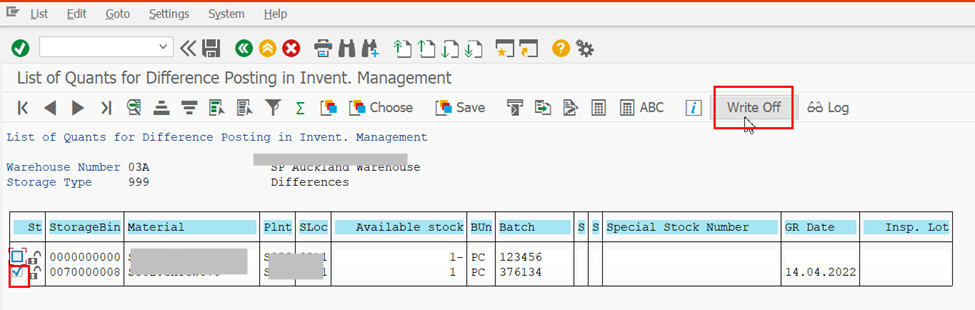
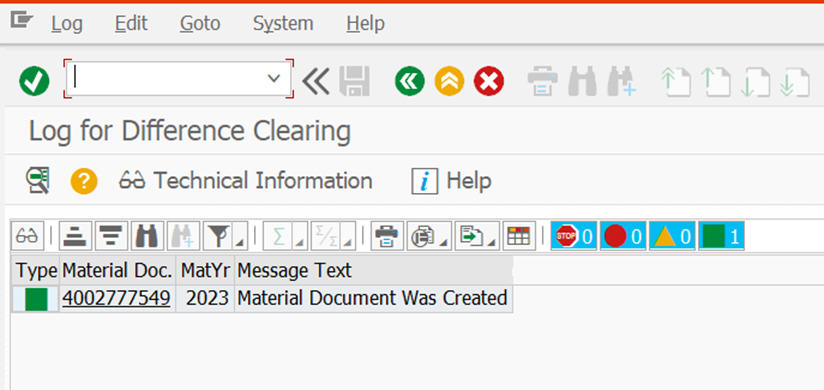
Transaction LI21
Perform the physical write-off in Inventory Management
8
Verification
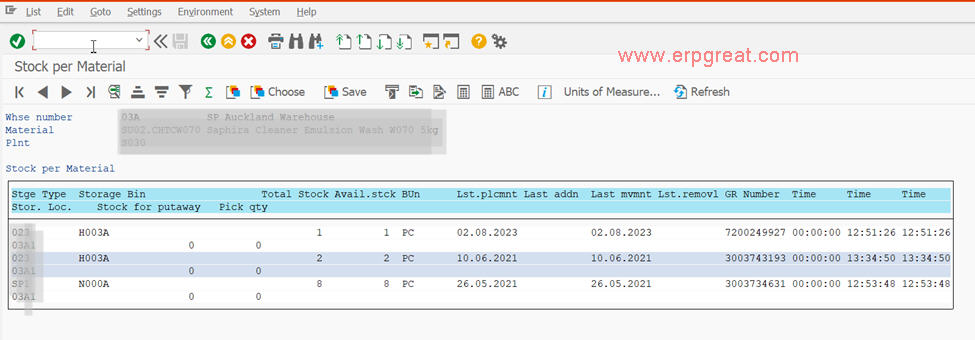
Check the stock balance after WM and IM write-off
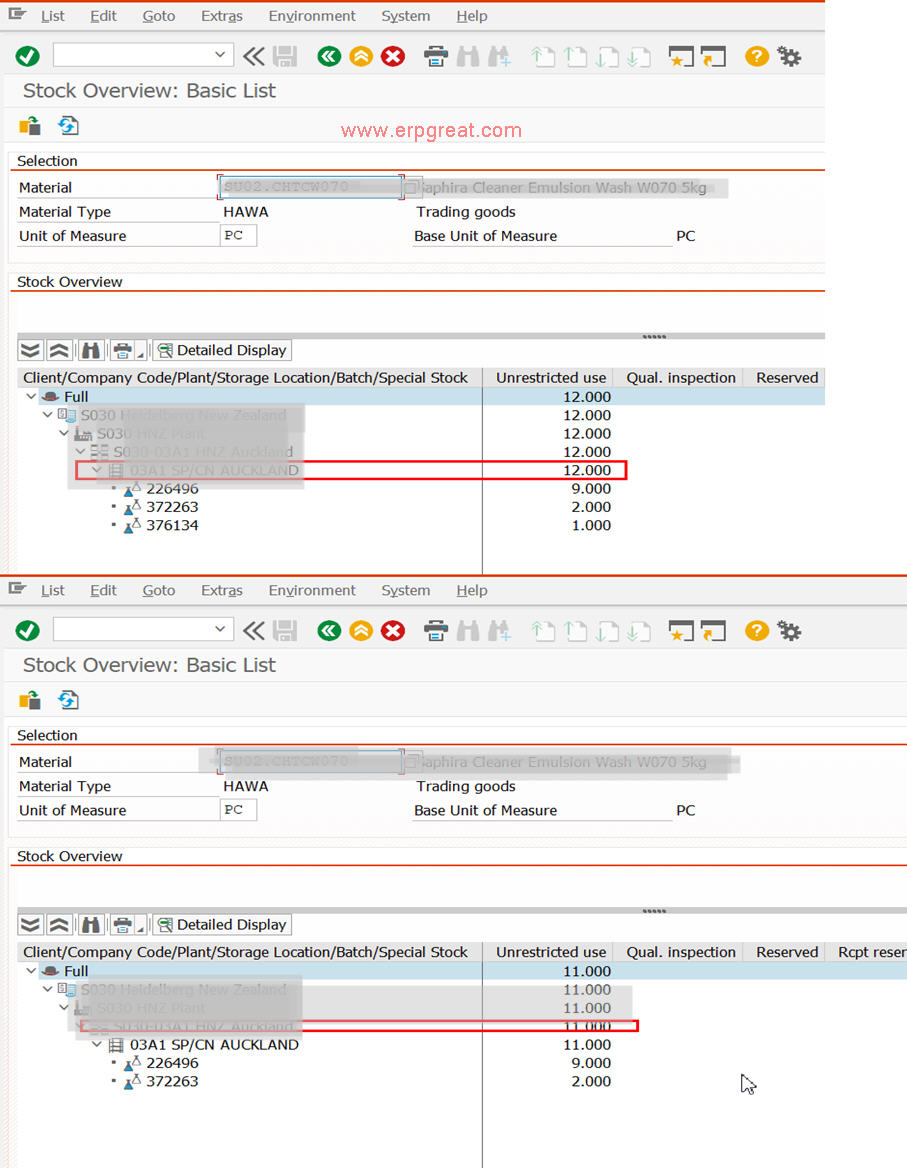
WMS also balance 11.
Tested in SAP ERP 6.0